Page 1 of 1

Samsung MicroSD 32 Gb, pinout mistake

Posted: 19.02.18, 00:34
by LabGenius
Image

It look similar with Type 3 in AceLab DB, but i check pin 1A and 1B and they are not GND..
Any tips??

Thanks in advance

Re: Samsung MicroSD 32 Gb, pinout mistake

Posted: 19.02.18, 20:20
by jerema
I got one typ3 , where pin 1a and 1b does not exist.
Start from below and found the VCC with Multimeter. Then you know where is pin 11a , then check if 8b, 9a,9b are ground with multimeter.

Re: Samsung MicroSD 32 Gb, pinout mistake

Posted: 19.02.18, 23:17
by DataMedics
I'd bet this is GND:
samsung_msd.jpg
samsung_msd.jpg (11.04 KiB) Viewed 14050 times


If you look carefully you'll see there's a trace from that one leading to all that mesh which is usually all GND.

Re: Samsung MicroSD 32 Gb, pinout mistake

Posted: 20.02.18, 09:00
by AJ2008
I think the problem isnt to know where GND is, but rather that it does not correlate with GND in the pinmap ACE have for this pattern which suggests the map Ace have is not suitable.

Unfortunately I do not have the pinmap for this so I cannot help :(
Re: Samsung MicroSD 32 Gb, pinout mistake

Posted: 20.02.18, 14:19
by LabGenius
AJ2008 wrote:Source of the post I think the problem isnt to know where GND is, but rather that it does not correlate with GND in the pinmap ACE have for this pattern which suggests the map Ace have is not suitable.

Unfortunately I do not have the pinmap for this so I cannot help :(


Yes, i can't use pinmap from Ace LAB, is similar but contact configuration is different because 1A and 1B (in Ace Map) are GND.

Check this image:
Image

Ace pinmap is ok for standard for layout 2x15, in my case is pretty different :(

Thanks to any others for suggestions

Re: Samsung MicroSD 32 Gb, pinout mistake

Posted: 21.02.18, 09:02
by jerema
You can try to find the right contacts with spider board.

Re: Samsung MicroSD 32 Gb, pinout mistake

Posted: 21.02.18, 17:22
by Multi-COM
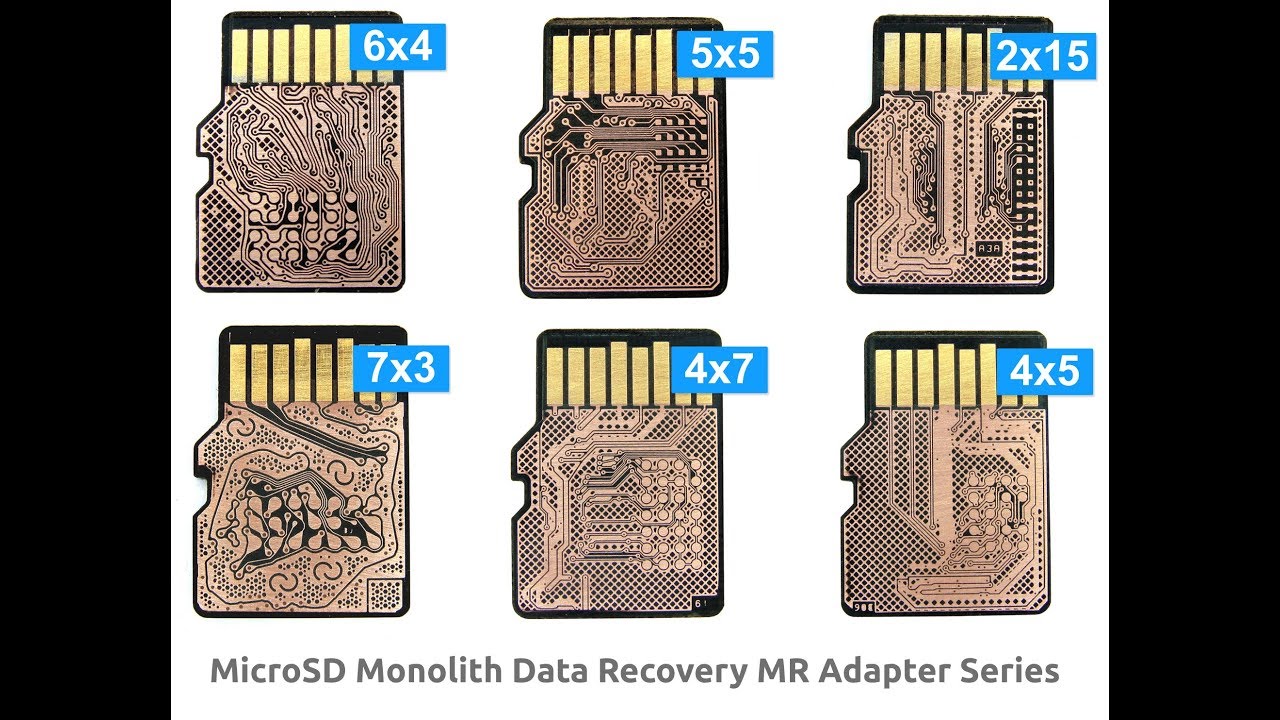
We got pinout for this card and are able to read it (if you own a MR30 microSD adapter from us you can buy a socket that you will just put on adapter and it will allows to read this card ) ....... but......in those cards Samsung make ECC as its own way (why it's doesn't surprise me....self made ECC ???) so not common ECC scheme. But once you get it reader SA/Data/ECC structure for sector is 36/1024/1248. Good luck

Photo in full res:
Image

Re: Samsung MicroSD 32 Gb, pinout mistake

Posted: 21.02.18, 23:55
by LabGenius
Now i try to debug fully working "donor" MSD (same brand and pinout) with spider board... I hope I can find the pinout
:D

Re: Samsung MicroSD 32 Gb, pinout mistake

Posted: 21.02.18, 23:56
by LabGenius
Multi-COM wrote:Source of the post We got pinout for this card and are able to read it (if you own a MR30 microSD adapter from us you can buy a socket that you will just put on adapter and it will allows to read this card ) ....... but......in those cards Samsung make ECC as its own way (why it's doesn't surprise me....self made ECC ???) so not common ECC scheme. But once you get it reader SA/Data/ECC structure for sector is 36/1024/1248. Good luck


Thanks, i know these adapters, in the future I have already considered buying some :)

Re: Samsung MicroSD 32 Gb, pinout mistake

Posted: 23.02.18, 19:18
by Multi-COM
@LabGenius: SpiderBoard allows solder free connection to card but it will not allow you to find pinout. For this you need Logic Analyzer and Excel to correctly debug and assembly in correct sequence I/O lines....

Re: Samsung MicroSD 32 Gb, pinout mistake

Posted: 23.02.18, 23:11
by jerema
With the new update, there is a option to search pinout. I tried it and it works in some case.
Attachments
pinout.png
pinout.png (24.94 KiB) Viewed 13963 times

Re: Samsung MicroSD 32 Gb, pinout mistake

Posted: 24.02.18, 13:20
by DataMedics
I've been hoping to play with this feature. I'd sworn off getting into doing monoliths myself, but with the spider board and this new update, I'm thinking it might be worth re-investigating it.

Re: Samsung MicroSD 32 Gb, pinout mistake

Posted: 25.02.18, 07:15
by Amarbir[CDR-Labs]
DataMedics wrote:Source of the post I've been hoping to play with this feature. I'd sworn off getting into doing monoliths myself, but with the spider board and this new update, I'm thinking it might be worth re-investigating it.


Well Jared,
Now you have the lollipop called Pc 3000 Flash ,Enjoy it Is we all here spend time and discuss it we all can learn .The idea of flash learning is not connecting , reading and then giving case to tech support .But doing all ourselves

Re: Samsung MicroSD 32 Gb, pinout mistake

Posted: 26.02.18, 22:04
by DataMedics
Actually, I outsource 90% of my flash work entirely. I just get the dumps in most cases than have someone else work on it remotely (not Ace TS, but a sub-contracted flash expert)

It's not that I don't want to learn or care to, I'm just too busy to commit the time most days.

1 Flash Case + Learning Curve = 8 hours of my time (more if it's a monolith)

I could either:
(Option A) spend the 8 hours, learn a bit, and make $500
or I could
(Option B) spend 30 min + $350 for someone else to do the hard part. I still make $150 profit plus I can complete another 3-4 HDD recovery cases that day and clear another $1500-2000.

While I like the idea of Option A, Option B usually wins out.

I do like that Ace has a nice database of prebuild solutions and I've been learning how to employ those at least. So going forward I'll probably be just testing if there's a ready built solution that works, otherwise just outsource it.

Re: Samsung MicroSD 32 Gb, pinout mistake

Posted: 27.02.18, 10:09
by AJ2008
So going forward I'll probably be just testing if there's a ready built solution that works, otherwise just outsource it.


This is a good way to start, but often there are variations on the recorded solution and the actual solution which is why there are often many results for the same controller and chip.

I also think that 8+ hours for a learning curve is worth a lot more than $500 because any knowledge you learn can often be built on easier or even directly applied to other cases.

Problem with flash is client pays $5 for a flash drive, then simply cannot comprehend why the charge of $500 for a $5 device - often, some cases cannot be recovered perfectly or even in original structure which again is something that has to be explained properly to a client who, much of the time, has no real clue about what is being explained to them :shock:

But Flash recovery does make for some interesting cases :D