Page 1 of 2

How on earth to open up those SAMSUNG BAR flash drives?

Posted: 28.07.22, 18:56
by osity
Received one and it it's almost completely encapsulated with a one piece metal casing with only the opening at the front.
Anyone have any luck getting it out of the casing to start the job?

Re: How on earth to open up those SAMSUNG BAR flash drives?

Posted: 28.07.22, 19:07
by d_d_recovery
They are just glued in, so if you are lucky you can heat up the enclosure and pry it out being careful not to damage the chip.
If you get a particularly stubborn one, you can open up the sides with a fine pair of snips and peel it back like a can of sardines until you get to the chip.
Attachments
20220728_101611.jpg
20220728_101611.jpg (2.3 MiB) Viewed 40658 times

Re: How on earth to open up those SAMSUNG BAR flash drives?

Posted: 28.07.22, 21:17
by osity
Nice. I figured heat was involved but I couldnt find gaps from the front to start safely lifting the chip.
I was also thinking to chop the back side wide open, heat it and then start lift from both sides, but the way you did it looks like it works.
Hopefully you recovered it.

Thanks for your input.

Re: How on earth to open up those SAMSUNG BAR flash drives?

Posted: 17.08.22, 17:15
by osity
Small little thing.
I've only seen one like this once before. I assume the blue USB interface/adapter has to be removed?
Can this be connected with Ace Labs standards adaptors?
Attachments
image.jpg
image.jpg (1.66 MiB) Viewed 40580 times

Re: How on earth to open up those SAMSUNG BAR flash drives?

Posted: 19.08.22, 17:57
by osity
d_d_recovery, were you able to recovery this using Ace Labs equipment?

Re: How on earth to open up those SAMSUNG BAR flash drives?

Posted: 23.08.22, 18:27
by osity
ACE?

Re: How on earth to open up those SAMSUNG BAR flash drives?

Posted: 23.08.22, 22:05
by Roman_TS
Samsung Monolith chips are usually having a native Samsung CPU inside with adaptive XOR. You are wasting your time.

Re: How on earth to open up those SAMSUNG BAR flash drives?

Posted: 24.08.22, 23:12
by osity
Alrighty then :D
How can i check if it has a Samsung CPU?

Re: How on earth to open up those SAMSUNG BAR flash drives?

Posted: 25.08.22, 10:05
by Roman_TS
It's a Samsung monolith... What else could be inside it? :)

Re: How on earth to open up those SAMSUNG BAR flash drives?

Posted: 29.08.22, 13:46
by Multi-COM
not always... in all Samsung DUO Fit we got there was SM3280 which can be fully recovered - if you need LBA, 77 Patterns Roman let me know - we got donors of those

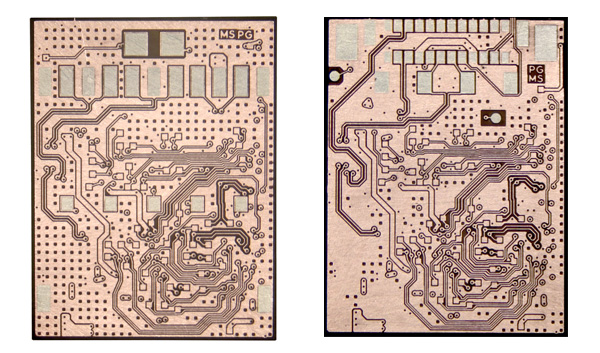
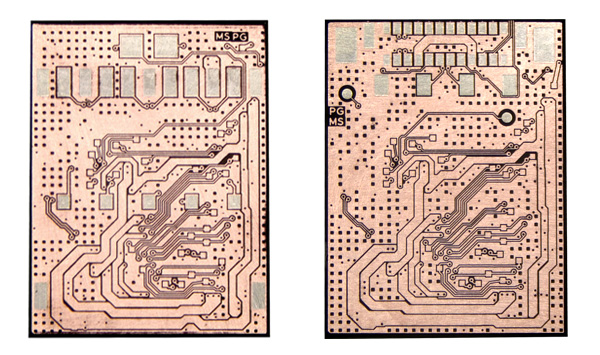
If chip looks like above:
Image

Image

Image

ID: ec 1e 98 3f
or
ID, ec 1e 98 bf

then it will be SM3280 - not encrypted, standard BCH

Re: How on earth to open up those SAMSUNG BAR flash drives?

Posted: 29.09.22, 21:33
by arvika
This Samsung flash are recoverable, as Bolo write, usually use SM controllers.

Re: How on earth to open up those SAMSUNG BAR flash drives?

Posted: 29.11.22, 13:03
by Cableguy
Hello,

Above info was very helpful! Thank you. :thumbup: I ordered the right socket for this at Multi-COM but for some reason I cannot get CE1 to work. I only get:

PinState ID= 8 ->
[29.11.2022 12:52:05]: .. Bus= 8 bit/ IO0x-0 -> ID= 0xEC1E983F (ID EXT= 0xEC1E983F 84CB0000) - OK! Parts detect... 1 OK! 2 Not Found!
[29.11.2022 12:52:10]: For current chip ID= ID= 0xEC1E983F (ID EXT= 0xEC1E983F 84CB0000) pinout scheme is = 8.
[29.11.2022 12:52:10]: Power Adaptert Parameters (VCC,VCCQ) will be get from chip database
[29.11.2022 12:52:12]: Read ID for CE= 1 Bus = 1
[29.11.2022 12:52:13]: Chip ID= 0xEC1E983F (ID EXT= 0xEC1E983F 84CB0000)

So Part 2: Not Found! And because of this I end up with just 64GB of the complete 128GB. I have tried several voltages (Vcc@3.3v and Vccq@1.8v is best) but no second CE...

Can anyone please giove me a clue on how to get second CE? :???:

Kind regards,
Henk

Re: How on earth to open up those SAMSUNG BAR flash drives?

Posted: 01.12.22, 22:46
by Multi-COM
@Cableguy - reach me at technika@multi-com.pl with exact photo of your monolith. There can be several reasons which we need to check like:

a) second CE in your case is located on CE2 instead CE1 which are not discovered since Pc3K not check more CE if second after check is nout found(so location is CE0/CE2 for 1st channel and CE1/3 for 2nd channel)
b) for second CE maybe diffrent socket is required (diffrent pinout)
c) CE bank is demaged

To check this reach me via e-mail

Re: How on earth to open up those SAMSUNG BAR flash drives?

Posted: 03.12.22, 04:03
by osity
Is the CPU inside this one SM5280? Seems to match the first one.
Attachments
0821D247-984D-4B7A-B16F-E6E4CABEEDD0.jpeg
0821D247-984D-4B7A-B16F-E6E4CABEEDD0.jpeg (1.03 MiB) Viewed 40156 times

Re: How on earth to open up those SAMSUNG BAR flash drives?

Posted: 15.12.22, 07:05
by Cableguy
Multi-COM wrote:Source of the post @Cableguy - reach me at technika@multi-com.pl with exact photo of your monolith. There can be several reasons which we need to check like:

a) second CE in your case is located on CE2 instead CE1 which are not discovered since Pc3K not check more CE if second after check is nout found(so location is CE0/CE2 for 1st channel and CE1/3 for 2nd channel)
b) for second CE maybe diffrent socket is required (diffrent pinout)
c) CE bank is demaged

To check this reach me via e-mail


Hello Boguslaw Rzepka,

Thank you for your reaction and effort. :thumbup: I had contacted Greg earlier and he told me how to use the UP05 AP1 and AP2 pinout adapters that come with the adapter. Now I started the case as if it has two chips and read each chip (64GB part) with different pinout adapter. Only voltages are very critical so best to check reading before creating the full image... :cry: :mrgreen: