Page 1 of 1
Intel BAD_CTX bug
Posted: 13.11.15, 15:27
by Roman_TS
n this video you will find detail description how to recover data from Intel SSD drives based on Intel Postville controller (PC29AS21AA0). Also, this video contain information about functionality, options and different features which are presented in this Active Utility.
Supported drives:
Intel X18;
Intel X25;
Intel 320;
Intel 710;
http://www.youtube.com/watch?v=xj_HupMRQ1A
Re: Intel BAD_CTX bug
Posted: 08.01.16, 19:00
by oldman
I got teck-key failed, are there anyway I can get in?
Thanks.
Attachments
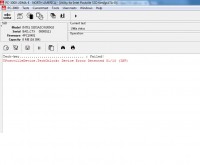
- tech-key-failed.jpg (5.79 KiB) Viewed 17680 times
Re: Intel BAD_CTX bug
Posted: 08.01.16, 19:08
by Roman_TS
Try to increase timeout to 60 seconds instead 10. It might be the reason why this drive can't activate tech key - it just required more time...
Re: Intel BAD_CTX bug
Posted: 08.01.16, 19:46
by oldman
Roman,
Happy New Year, still look after me during your holiday.

I did increase to 60 following the other post, but same error.

Thanks.
Phil
Re: Intel BAD_CTX bug
Posted: 08.01.16, 19:51
by oldman
If just power on, there is the error message.
Attachments
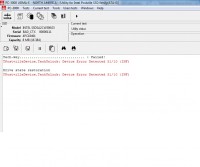
- power-on-message.jpg (6.36 KiB) Viewed 17675 times
Re: Intel BAD_CTX bug
Posted: 11.01.16, 09:59
by Roman_TS
If it possible - please, reach me in TS department. I will try to check your case with TeamViewer.
ts.acelab.eu.com
Re: Intel BAD_CTX bug
Posted: 12.01.16, 02:47
by oldman
Hi Roman,
I setup the TV ready.
Also I notice the control is different, PC29AS21BA0, will it be a problem?
Thanks.
Phil