Page 1 of 1
Data Extractor Error
Posted: 05.06.18, 19:07
by MasterT
I just noticed that in version 6.4.19 i cannot see anymore live parameters like Value (how many GB were copied), %, Speed, Time which is pretty annoying.
If i Stop copy process they appear and i can see how fast it copied and how much GB it copied.
I closed the software and restarted the pc but problem is still there.
Attachments
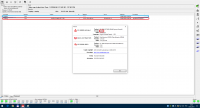
- bug.png (65 KiB) Viewed 29256 times
Re: Data Extractor Error
Posted: 06.06.18, 11:33
by huangmiaofang
I also met this problem,
it will be normal after 2-3 days.
Re: Data Extractor Error
Posted: 07.06.18, 12:40
by pcn
This is a known problem but there is no real solution:
viewtopic.php?f=141&t=9194&p=32680Only thing you can do is wait, finish without stats if possible after some time it will work again. It is not a bug of current version.
Re: Data Extractor Error
Posted: 07.06.18, 19:26
by MasterT
Rebooting as other mentioned in the other thread did not help me.
But reinstalling software did.
Now i have all the data back live again.
Re: Data Extractor Error
Posted: 17.06.18, 19:59
by 300ddr
It seems to come and go as it pleases in my experience. Sometimes it's there, sometimes not. Not sure why yet. I was thinking last week that "multiple passes" may cause status % to fail. But, not tested yet. And, if you are using a single pass, then I guess that's not the reason.
Re: Data Extractor Error
Posted: 18.06.18, 09:33
by MasterT
I was using single pass when it occurred.
Re: Data Extractor Error
Posted: 18.06.18, 14:08
by lcoughey
As I reported when I created the other thread, this has been happening to me for years on all my systems. My old UDMA system still does it. My UDMA-e system does it. And my Express does it. The only common factor I can figure out is that it happens when at least one task has been running for several days or weeks.
Re: Data Extractor Error
Posted: 19.06.18, 18:25
by Amarbir[CDR-Labs]
Hi,
I had this issue when i reverted to version 6.4.19 only by reverting back to 6.4.16 i do not have this issue at all
Re: Data Extractor Error
Posted: 20.06.18, 09:14
by Roman_TS
Guys, if you have errors - please send your request through ticket system. We can't collect all bug from all places at the same time. If you want to help us fix the bugs but not only tell everyone that this bug is exist, please send us a ticket with screens. We will forward this information to our developers. Thanks!
Re: Data Extractor Error
Posted: 20.06.18, 18:17
by 300ddr
Hi Roman,
I was going to do this, but noticed there is no ticket option for "Bug Report." But, will do in the future.
-Brian
Re: Data Extractor Error
Posted: 21.06.18, 08:38
by Roman_TS
300ddr wrote:Source of the post Hi Roman,
I was going to do this, but noticed there is no ticket option for "Bug Report." But, will do in the future.
-Brian
Most of the customers don't care even about department - If they have Flash question, they usually create a ticket in HDD department because it's the first one in the list

If your bug report is about DE or PC-3000 UDMA-E, Express - then it's for HDD department. If it's about PC-3000 Flash - then it would be a Flash dpt.
Re: Data Extractor Error
Posted: 21.06.18, 18:48
by 300ddr
Hahaha, ok sounds good!
Re: Data Extractor Error
Posted: 26.06.18, 08:34
by pclab
I got that already a few days ago and even sent a ticket.
The problem as "solved" (at least until now), by rebooting the PC.
I was working on a case for about 3 weeks... Could it "overflow" something??
Re: Data Extractor Error
Posted: 29.07.18, 10:57
by jojo2012
Until now never happened